Match hframes and vframes
Set the horizontal and vertical frame counts to the exact columns and rows in the imported sheet.
Godot 2D workflow
Generate a grid-based animation sheet and prepare it for Godot AnimatedSprite2D or SpriteFrames playback.
A clean grid for Godot
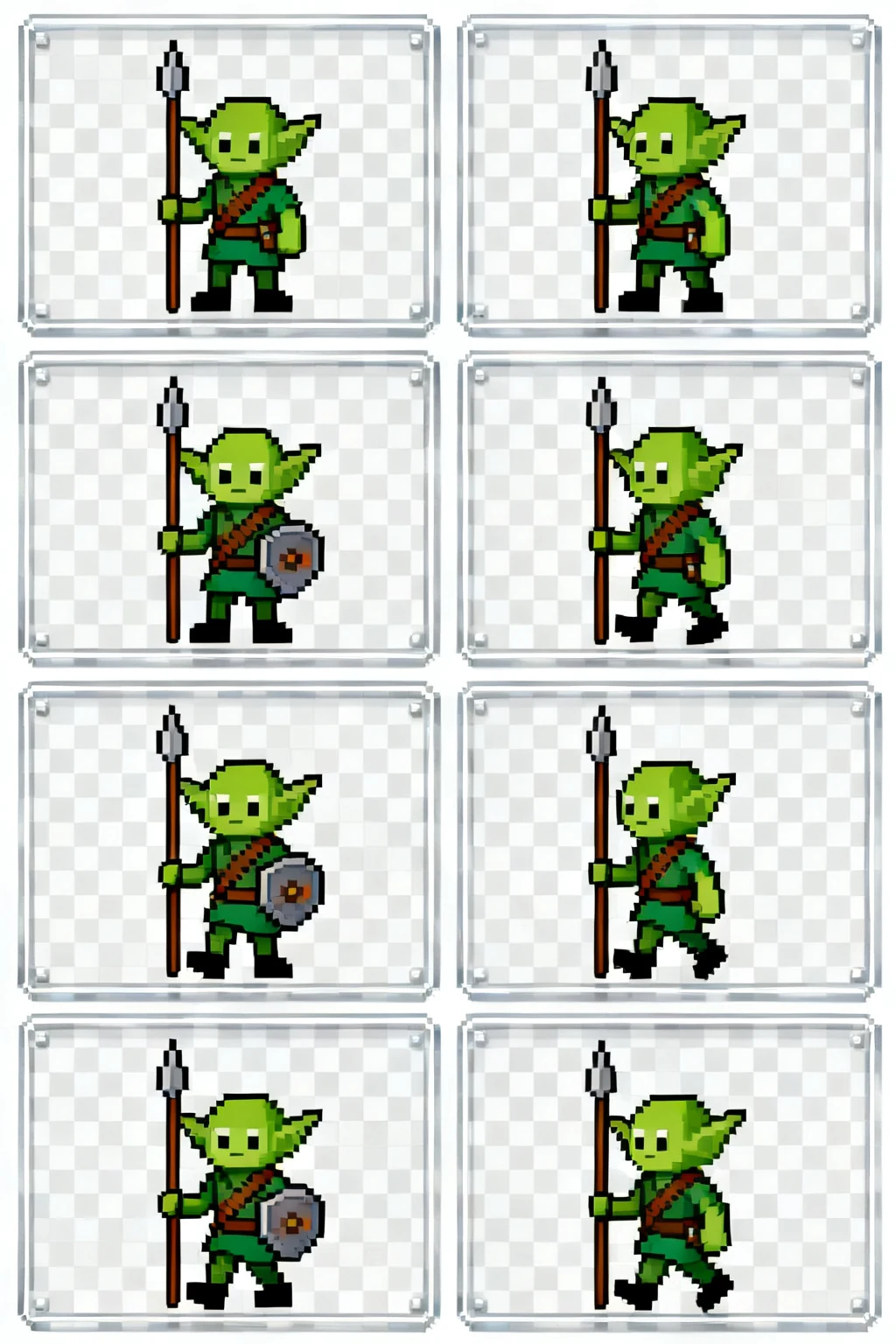
A regular frame grid helps you select and preview animation frames without manually repositioning each image.
Set the horizontal and vertical frame counts to the exact columns and rows in the imported sheet.
Use AnimatedSprite2D and add the required cells to a named animation in their playback order.
Set FPS per action, enable looping only where needed, and verify the pivot stays stable in the scene.
Built for production-minded game makers
A practical workflow
Pick an action, direction, and art direction that match the character you want to animate.
Generate or refine the sheet, then inspect the grid for readable silhouettes and consistent timing.
Export the frames and follow your engine's sprite import settings for slicing and playback.
Start with the smallest loop that communicates the action. A readable walk can be short; attacks often need anticipation and recovery frames.
Yes. A consistent frame size and aligned character origin make slicing and collision setup much simpler in a game engine.
Check frame order, transparent background needs, grid dimensions, and whether the animation reads at your game's target size.